The page you are reading has no server behind it. It is a pile of static HTML, built by Hugo, pushed to a private GitLab repo, and served from GitLab Pages. Domain aside, it runs at nothing a month, and I can have one live for someone in an afternoon.
Here is the stack, and why each piece is the boring choice on purpose.
No build pipeline to babysit
Hugo is a single binary that builds this whole site in about twenty milliseconds. The CSS goes through Hugo’s own asset pipeline (minified and fingerprinted for cache-busting), so there is no Node, no npm, and nothing to be woken up by a dependency advisory at 2am.
The design here is bespoke, drawn on a canvas rather than pulled off a shelf. That is exactly the case where a utility CSS framework becomes a translation tax instead of a shortcut, so I skipped it. One hand-written stylesheet, driven by design tokens, and the browser gets bundling and cache-busting for free.
Editing without going near the code
Writing posts through Markdown files is fine for me. It is not fine for most people I would hand a site to, so the site carries a CMS at /admin/ (Decap). It runs entirely in the browser and writes Markdown back into the repo, so the content model and the git history stay the single source of truth.
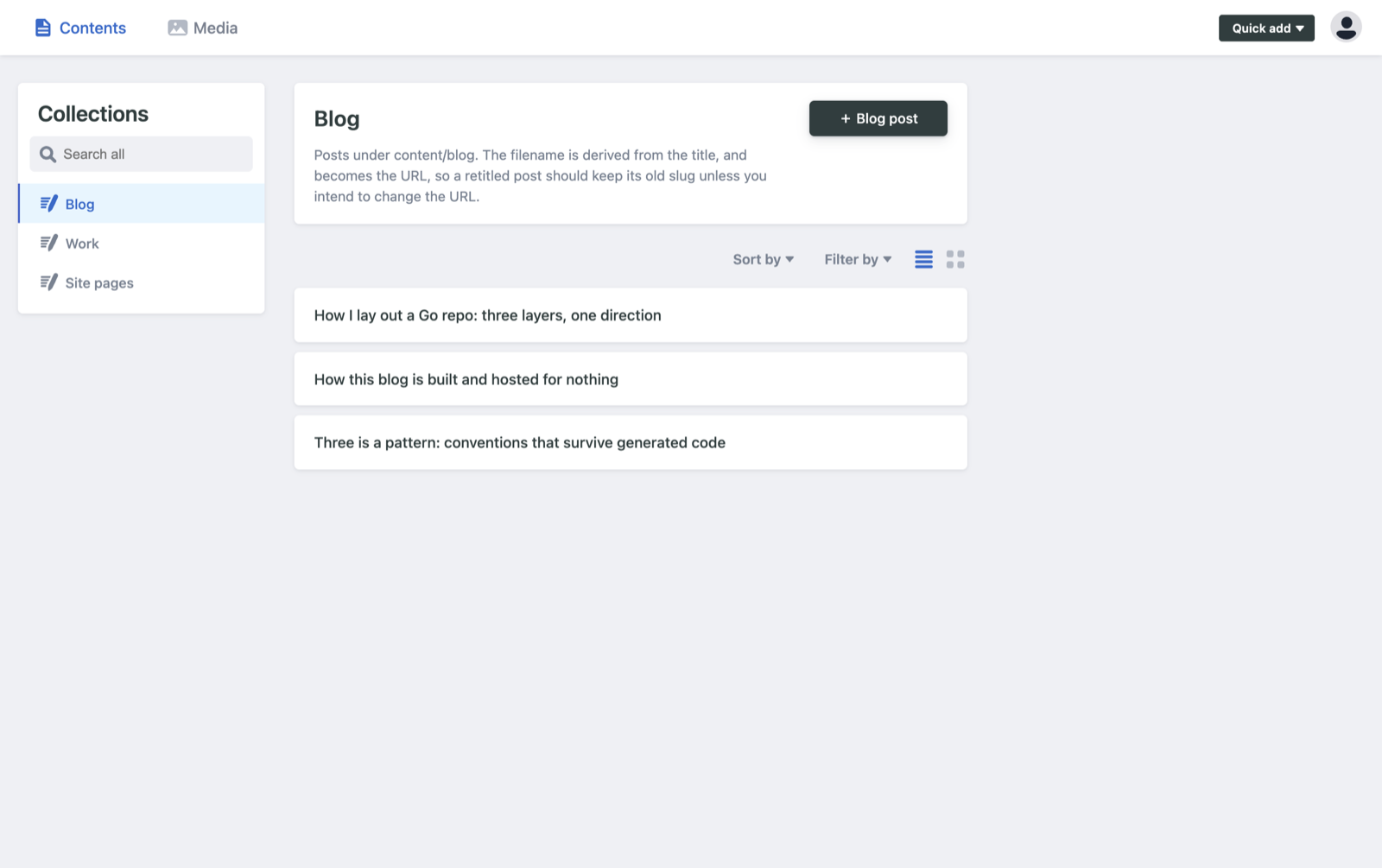
The part I like most is that it ships with the site. Decap is a couple of static files sitting in the repo next to everything else, not a service I rent. It is free and open source, so there is no third party who can put the price up, change the terms, or switch it off and leave my editing behind a paywall. If the project disappeared tomorrow the content already in the repo would keep working, because it is just files I already have. That is the same instinct as keeping a vendor at the edge of a backend: the thing you depend on should be replaceable, and ideally it should be yours.
Two details that matter. Locally it needs no login at all, so you can run the whole editing experience offline. In production it authenticates against GitLab with PKCE, which means there is no OAuth proxy server to host. That proxy is the piece that usually drags a “free” setup quietly back onto a paid box, and PKCE lets you skip it. The categories are a fixed list in the config, so I cannot fragment my own taxonomy at 11pm by inventing a fourth spelling of the same thing.
Private source, public site
The repo is private, the site is public. GitLab Pages is happy to do that, and it is the setup I have used for years. Deploys only ever run from the main branch. Draft branches and merge requests build the site to check nothing is broken, but they publish nothing.
The series this post opens is written weeks ahead and released a fortnight apart. That works because each post carries its release date, Hugo leaves future-dated posts out of the build until their day comes, and a scheduled pipeline rebuilds the site on a timer so each one appears on schedule without me touching anything.
Why it is worth writing down
None of this is clever. That is the point. It is the “simple stack, one deploy” instinct I bring to backend work, applied to a blog: fewer moving parts, nothing to babysit, boring where boring pays off.
If you want one of these for your own writing, or a fast marketing site for your company, this is a shape I can deliver quickly and hand over clean, running on your own domain with a CMS your non-technical people can actually use. Give me a shout.